Contents
Documentation
Downloading Transitland Datasets
Downloading via Transitland Website
To download free Transitland Datasets for non-commercial use:
- Sign into your Interline account
- Order a free Transitland Datasets subscription
- Navigate to the Download Transitland Datasets section
- Select your desired Dataset package and click to download
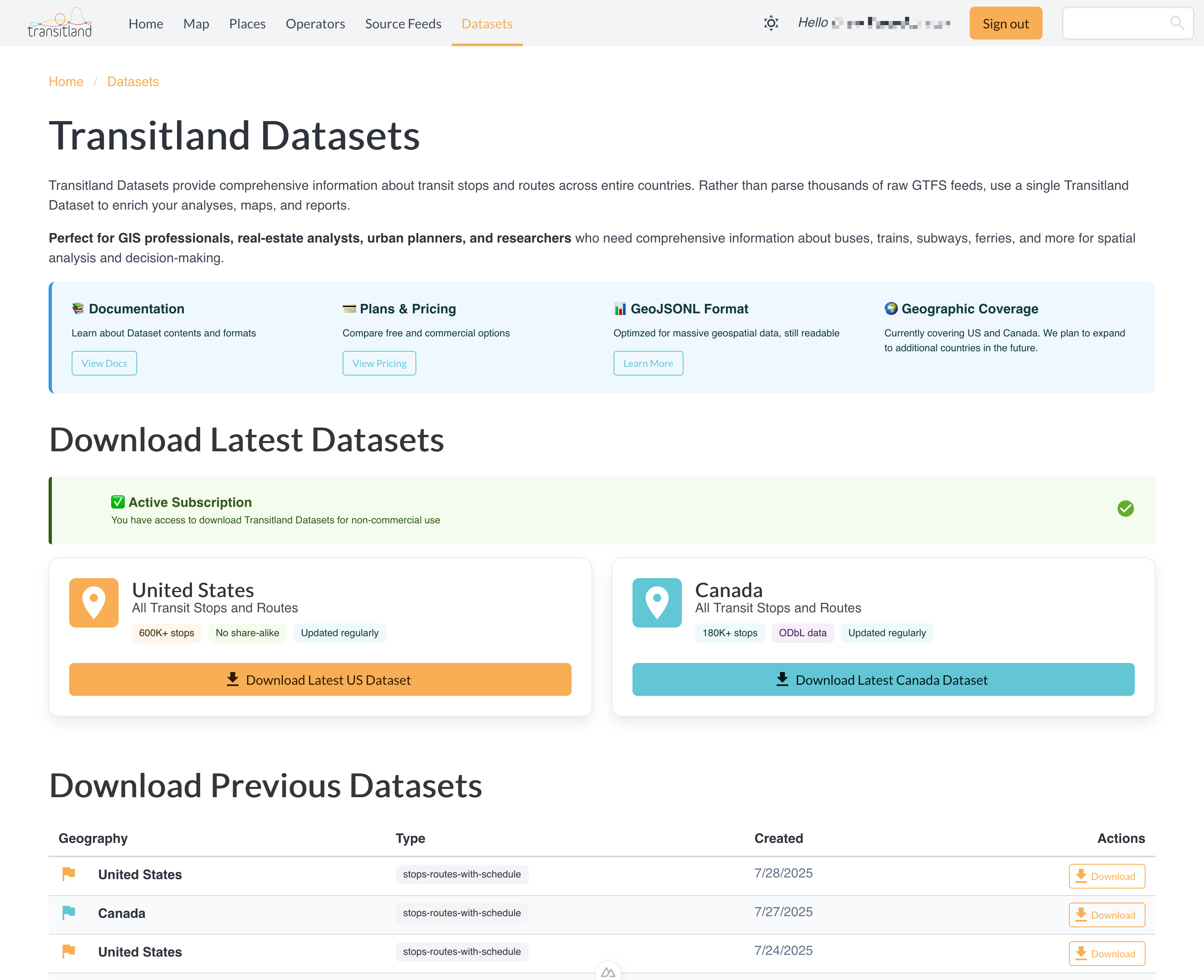
Downloading via API
Transitland Datasets can also be downloaded programmatically. The API provides three endpoints:
List Available Datasets
Endpoint: GET https://app.interline.io/transitland_datasets
Authentication: None required
Description: Lists all available Transitland Datasets with their metadata.
Example Request:
curl https://app.interline.io/transitland_datasets
Example Response:
{
  "data": [
    {
      "attributes": {
        "bucket_key": "US/stops-routes-with-schedule/tl-dataset-US-2025-07-27T04:00:30.zip",
        "bucket_name": "transitland-datasets",
        "bucket_provider": "azure",
        "created_at": "2025-07-28T12:52:54.466Z",
        "dataset_type": "stops-routes-with-schedule",
        "geography": "US",
        "updated_at": "2025-07-28T12:52:54.466Z"
      },
      "id": "22",
      "type": "transitland_dataset"
    }
  ],
  "jsonapi": {
    "version": "1.0"
  }
}
Response Fields:
id: Unique identifier for the datasetgeography: Country code (US, CA)dataset_type: Type of dataset (currently only "stops-routes-with-schedule")created_at: When the dataset was createdbucket_key,bucket_name, andbucket_provider: Internal storage information; outside users cannot download from this source directly
Download Dataset
Endpoint: GET https://app.interline.io/transitland_datasets/download_latest
Authentication: Required - Transitland Datasets API token
Parameters:
geography(required): Country code -USorCAdataset_type(required): Dataset type -stops-routes-with-scheduleapi_token(required): Your Transitland Datasets API token
Description: Downloads the latest version of a specific dataset. Returns a 302 redirect to the actual file download.
Example Request:
curl "https://app.interline.io/transitland_datasets/download_latest?geography=US&dataset_type=stops-routes-with-schedule&api_token=YOUR_API_TOKEN"
Example Response:
HTTP/1.1 302 Found
Location: https://interline.blob.core.windows.net/transitland-datasets/US/stops-routes-with-schedule/tl-dataset-US-2025-07-27T04:00:30.zip?sp=r&sv=2018-11-09&sr=b
Download Specific Dataset
Endpoint: GET https://app.interline.io/transitland_datasets/{id}/download
Authentication: Required - Transitland Datasets API token
Parameters:
id(required): Dataset ID from the list endpointapi_token(required): Your Transitland Datasets API token
Description: Downloads a specific dataset by its ID. Useful for downloading historical versions or specific releases.
Example Request:
curl "https://app.interline.io/transitland_datasets/22/download?api_token=YOUR_API_TOKEN"
Example Response:
HTTP/1.1 302 Found
Location: https://interline.blob.core.windows.net/transitland-datasets/US/stops-routes-with-schedule/tl-dataset-US-2025-07-27T04:00:30.zip?sp=r&sv=2018-11-09&sr=b
Getting Your API Token
To obtain a Transitland Datasets API token:
- Sign into your Interline account
- Order a Transitland Datasets subscription
- Under the Subscriptions and API keys tab, find your Transitland Datasets order. It will list your API key
Programmatic Download Examples
Using curl:
# List available datasets
curl https://app.interline.io/transitland_datasets

# Download latest US dataset
curl -L "https://app.interline.io/transitland_datasets/download_latest?geography=US&dataset_type=stops-routes-with-schedule&api_token=YOUR_API_TOKEN" -o us-dataset.zip

# Download latest Canada dataset
curl -L "https://app.interline.io/transitland_datasets/download_latest?geography=CA&dataset_type=stops-routes-with-schedule&api_token=YOUR_API_TOKEN" -o ca-dataset.zip

# Download specific dataset by ID
curl -L "https://app.interline.io/transitland_datasets/22/download?api_token=YOUR_API_TOKEN" -o specific-dataset.zip
Error Handling
Common HTTP Status Codes:
200 OK: Success (for list endpoint)302 Found: Success (for download endpoint - redirects to file)401 Unauthorized: Invalid or missing API token403 Forbidden: No active subscription for Transitland Datasets404 Not Found: Invalid geography or dataset type500 Internal Server Error: Server error